AI Search Strategy: A Practical Plan for Getting Found and Chosen
A business owner asks an AI assistant which agency could rebuild a website for a local service company. Your agency handles that work. The useful question is whether the answer helps that person understand what you offer and whether you’re a suitable choice.
Seeing your name would be encouraging. The next checks are the description, the sources behind it, and what happens when the person visits your website. An accurate recommendation followed by an unclear service page leaves an obvious problem to fix.
An AI search strategy begins there: choose the customer decisions that matter, improve the information available for those decisions, and measure whether the work produces useful inquiries.
What is an AI search strategy?
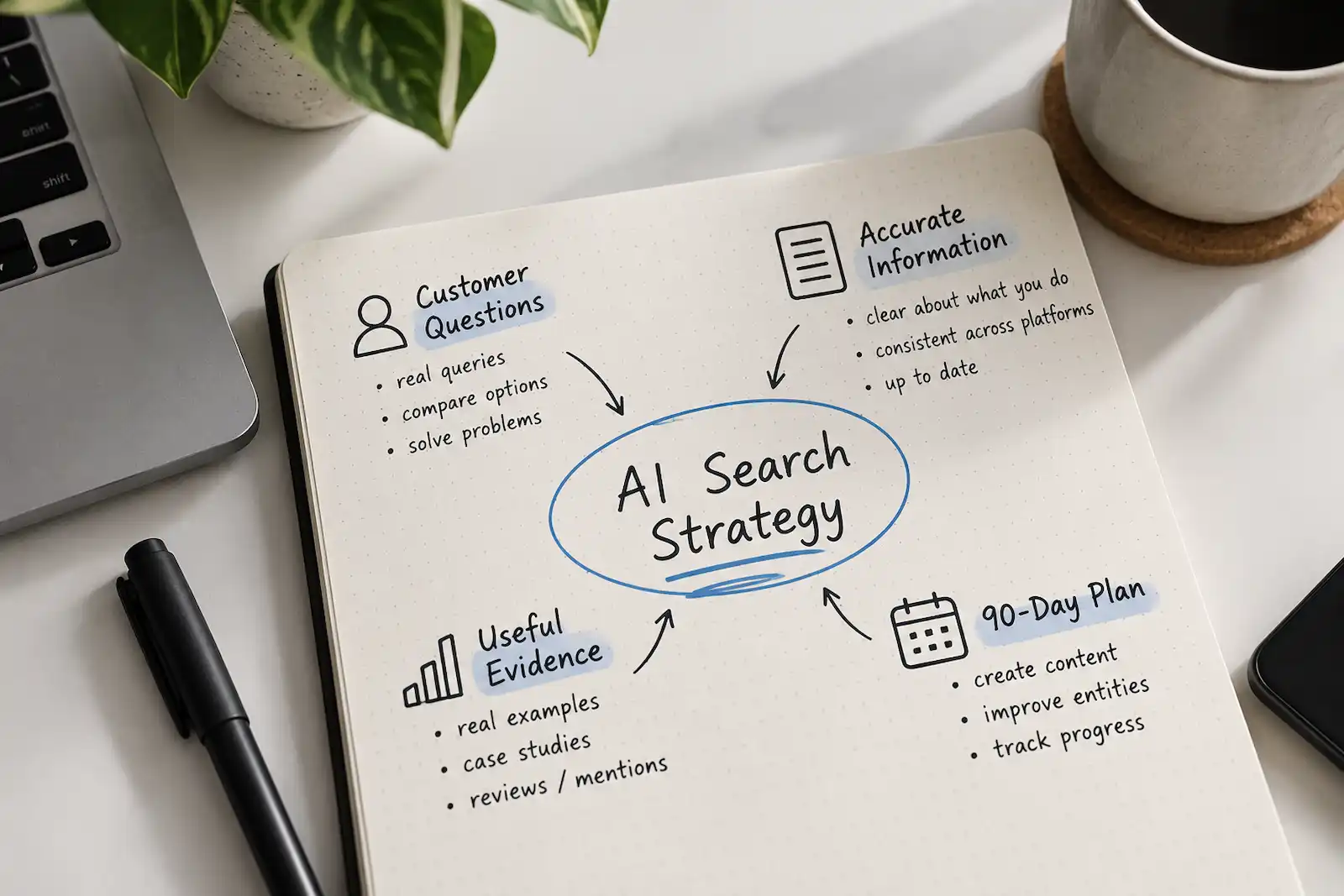
An AI search strategy is a plan for helping relevant customers discover and evaluate your business through AI-generated answers. It sets priorities for the questions you want to address, the information you publish, your presence in other relevant sources, and the results you track.
For Google, this work sits within SEO. Its generative AI optimization guide explains that Google’s generative AI features are rooted in its core Search ranking and quality systems. The guide also describes query fan-out, where a model issues related searches to gather information for an answer.
In practice, plan around a customer decision and its supporting questions. For a website redesign, those might include cost, platform choice, migration risks, and how to assess an agency’s previous work. A useful strategy gives those questions a home in your existing marketing plan.
1. Choose a business priority you can actually support
Start with one service, product category, or customer problem where your business has relevant experience and capacity to take on work.
For a small web agency, that could be website redesigns for local service businesses. Before researching prompts, write down the intended outcome: qualified conversations with owners who need a redesign and fit the agency’s scope.
Then define what makes an inquiry qualified. Budget range, location, project type, and timing might all matter. This prevents a rise in general traffic from becoming the only evidence of success.
Semrush’s Topical Gravity article argues that topics, not keywords, are the unit to plan and measure, and recommends defining the topics your brand needs to own, building authority across them, and measuring your share against competitors. That’s a useful starting point for deciding where to spend limited publishing time.
Turn the priority into a small question map:
| Customer decision | Example question | Information to prepare |
|---|---|---|
| Whether to act | When does a service business need a website redesign? | Symptoms, alternatives, and reasons to delay |
| What to budget | What changes the cost of a small business website? | Scope examples, assumptions, and exclusions |
| Whom to hire | How should I compare web design agencies? | Selection criteria and examples of relevant work |
| How to proceed | What happens to existing pages during a redesign? | A migration process and responsibilities |
These are illustrative questions. Use sales conversations, support requests, and actual customer language to build your own list.
2. Record what appears before changing anything
Run a manageable set of those questions through the AI search experiences your customers use. Begin with roughly 15 to 20 questions across two relevant services, then adjust the scope to the time available. Those numbers are a planning choice.
For each check, save the exact question, date, platform, mode, relevant location settings, response, and cited URLs. Start a fresh conversation when you want to reduce the influence of earlier messages.
Record separate observations:
- Brand mention: Does the answer name your business?
- Website citation: Does it link to one of your pages as a source?
- Recommendation: Does it suggest your business for the stated situation?
- Accuracy: Are the offer, location, capabilities, and limitations described correctly?
A source citation can support a general explanation without recommending the source’s business. Likewise, a business can be recommended while the supporting link points to an independent review. Keeping the observations separate makes the findings easier to act on.
Repeat the checks over time. Treat this as a documented sample of answers under specific conditions; it cannot establish what every customer sees.
3. Make your important pages usable as sources
Choose a few pages that should help someone evaluate the business: the homepage, main service page, pricing or project-scope page, a relevant case study, and contact page.
Google says a page must be indexed and eligible to be shown in Search with a snippet to appear as a supporting link in AI Overviews or AI Mode, and that there are no additional technical requirements beyond that. Its AI features documentation recommends making important content available as text, making content findable through internal links, and making sure structured data matches the visible page.
Use that guidance to investigate concrete obstacles. Check whether public pages have unintended crawl restrictions, whether essential facts appear as text, and whether visitors can reach them through ordinary navigation.
Then read the pages as a prospective customer. Could someone establish what you do, whom you serve, what the engagement involves, and how to take the next step?
For the agency example, a service description might say:
We redesign websites for local service businesses. Projects can include content planning, page design, development, and migration of existing pages. The proposal identifies what is included and which tasks remain with your team.
That gives a reader specific information to evaluate. Follow it with the details your actual process supports.
4. Publish evidence that helps someone decide
Look for a question where your team can contribute something from its own work.
A redesign case study could explain why the client sought help, which constraints shaped the project, what changed, and how the result was measured. A project walkthrough could show how the team handled an awkward migration or simplified an inquiry form.
Google’s helpful-content guidance asks publishers to self-assess against questions about original information, clear sourcing, evidence of expertise, and substantial value compared with other pages in search results. Those are useful editorial checks for this work.
Keep the evidence proportional to the claim. If a client reported easier content editing, describe that reported experience. If you measured an increase in inquiries, explain the period, definition, and relevant conditions. A redesign launched alongside a new advertising campaign needs that context.
Publish practical boundaries too. Explain which projects you decline, what clients need to supply, and which decisions can change the quote. Those details help a suitable prospect assess the engagement before arranging a call.
5. Review the sources customers encounter elsewhere
Inspect the external sources cited in your answer sample. Some provide useful information about businesses in your category; others describe your business inaccurately or incompletely.
Semrush’s Topical Gravity guidance notes that buyers now spread their research across search engines, AI assistants, and communities. Sources beyond your own website shape what those answers say, so use the sources in your own sample to decide where to investigate first.
For the agency, that might mean correcting an outdated directory profile or preparing a documented project for a relevant trade publication. In a community discussion, it could mean answering a practical migration question and identifying your connection to the business.
Give each activity a customer purpose. An accurate profile helps someone confirm your services. A detailed project article lets them examine your work. A helpful public answer resolves a question they already have.
Recheck the source after a correction. Updating your website does not establish that an older third-party description has changed too.
6. Connect visibility with what happens next
Build a report that lets you distinguish discovery, understanding, and business outcomes.
| Measure | What it can tell you | Limit to keep visible |
|---|---|---|
| Mentions and citations in saved answers | How your business and pages appeared in your sample | Coverage depends on the questions and conditions tested |
| Accuracy of important facts | Whether descriptions match your current offer | Correct facts do not establish customer preference |
| Identifiable AI referral visits | What recorded visitors did after arriving | Referral data does not capture every discovery path |
| Qualified inquiries and sales | Whether recorded activity connects with valuable work | Attribution may involve several channels |
For Google, Search Console’s generative AI performance reports provide dedicated visibility information, including how often URLs from your site appeared in generative AI features and which URLs appeared. Use that evidence alongside website analytics and inquiry records.
For your manual sample, report the denominator. “Mentioned in six of 30 saved answers” is an inspectable observation. Calling the same result a 20% share of the market would require a different measurement design.
Add a simple discovery question to your inquiry process if it would help: “Where did you first hear about us?” Keep that answer alongside the recorded referral rather than forcing them to agree. Someone may discover you in an assistant, search your name later, and then submit a form.
When results change, check other explanations too. Advertising, seasonality, competing content, and changes in the answering service can complicate attribution.
A practical 90-day AI search plan
Run the first three months as a focused improvement cycle. The schedule below is a suggested workload, not a forecast of when citations or leads will appear.
| Period | Work | Reviewable result |
|---|---|---|
| Days 1–30 | Choose one business priority, gather customer questions, save baseline answers, and inspect five important pages | A question map, answer record, and prioritized issue list |
| Days 31–60 | Resolve access problems, clarify service information, publish one strong evidence page, and correct relevant external profiles | Revised pages and documented corrections |
| Days 61–90 | Repeat the answer checks, review available visibility and referral data, and assess inquiry quality | A comparison with the baseline and a decision about the next cycle |
Assign an owner to each change. A small business owner may handle several roles; a larger team may need contributions from content, development, sales, and customer support. What matters is that someone can verify the facts and maintain them.
At the review, choose the next action from the evidence. An inaccurate service description calls for a factual correction. Repeated questions without a useful source suggest a content gap. Relevant visitors abandoning an unclear inquiry process suggest a website problem.
The first useful deliverable is a short list of those specific problems, with owners and a way to check the result. That gives the next month of work a purpose you can explain to the business.